

How Can the QSD6537 Sensor Work Independently Without DOF6000 Series Flowmeter Calculator?
1. Introduction
The Lanry QSD6537 is widely used as the velocity and level sensor in the DOF6000 Doppler Ultrasonic Open Channel Flow Meter system. However, many customers may not realize that the QSD6537 can also be purchased and used independently, without connecting it to the DOF6000 flow calculator.
This provides greater flexibility for projects that already have their own data acquisition systems, PLCs, data loggers, or remote monitoring platforms.
By connecting the QSD6537 directly to an external device through RS485 Modbus RTU or SDI-12 communication, users can obtain measurement data without purchasing the complete DOF6000 system.
So, how does the QSD6537 work independently? What information can it measure, and what additional equipment is required?
This article explains its standalone working principle, connection methods, applications, and important considerations.
2. What Can the QSD6537 Measure Independently?

The QSD6537 is a compact, fully submerged area-velocity sensor designed for open channels, rivers, streams, culverts, and partially filled pipelines. It integrates several measurement functions into one sensor.
| Parameter | Measurement capability |
|---|---|
| Flow velocity | 0.02–12 m/s, bidirectional |
| Water depth – Ultrasonic | 20 mm–5 m |
| Water depth – Pressure | 0–10 m |
| Water temperature | 0–60°C |
| Electrical conductivity (EC) | 0–200,000 μS/cm |
| Sensor protection | IP68 |
The sensor can independently collect velocity and water-level measurements, as well as temperature and conductivity data through its integrated sensing functions and communication interfaces.
This makes it suitable for projects that require continuous monitoring of multiple water parameters without installing a complete flow calculator.
Note: Actual measurement availability and compensation functions depend on the sensor configuration and external system. The specifications above are based on the QSD6537 product information.
3. How Does the QSD6537 Work Without a DOF6000 Calculator?
Standard DOF6000 System Composition
Normally, the complete DOF6000 system consists of two main components:
- QSD6537 Sensor: Measures water velocity, depth, temperature, and conductivity.
- DOF6000 Flow Calculator: Receives sensor data, calculates the wetted cross-sectional area, and determines instantaneous and accumulated flow.
However, the QSD6537 does not necessarily need the DOF6000 calculator to operate. When used independently, the sensor can communicate directly with an external device through its supported communication interfaces.
Basic Working Process
The QSD6537 is installed underwater in the channel or pipeline. It measures water velocity using the Doppler ultrasonic principle and measures water depth using its ultrasonic or pressure sensor.
The measured data are transmitted directly from the QSD6537 to an external device through RS485 Modbus RTU or SDI-12.
The external device receives and processes the measurement data. Depending on the project requirements, it can display, record, store, or transmit the information to a remote monitoring platform.
If the project requires volumetric flow rate rather than velocity and water depth alone, the external system must calculate the wetted cross-sectional area based on the channel geometry and measured water level.
The external system must also account for the relationship between the sensor's measured velocity and the average velocity across the channel.
Therefore, the QSD6537 can work as an independent measurement sensor, while the final flow calculation can be handled by the customer's own system.
4. How to Connect the QSD6537 to External Devices?
4.1 RS485 / Modbus RTU
RS485 Modbus RTU is a common communication option for industrial monitoring and automation systems.
With this interface, the QSD6537 can communicate directly with PLC controllers, industrial computers, data acquisition systems, SCADA systems, remote telemetry units (RTUs), and customer-developed monitoring platforms.
The external device reads the sensor's measurement registers through Modbus RTU and processes the received data according to the project's requirements.
Main advantages:
- Suitable for industrial automation systems.
- Supports long-distance serial communication.
- Easy integration with compatible Modbus devices.
- Allows customers to develop their own data collection and monitoring solutions.
According to the product documentation, the standard RS485 communication interface supports a cable length of up to 500 m under the specified configuration.
4.2 SDI-12 Communication
SDI-12 is commonly used in hydrological, environmental, and remote water monitoring applications.
The QSD6537 can communicate with compatible SDI-12 data loggers, allowing measurement data to be collected and stored automatically.
Typical connected devices include:
- Hydrological data loggers.
- Environmental monitoring stations.
- Remote telemetry systems.
- Water-level and river-monitoring equipment.
Main advantages:
- Designed for environmental monitoring applications.
- Compatible with SDI-12 data acquisition equipment.
- Suitable for remote monitoring stations.
- Supports automated measurement data collection.
The QSD6537 supports SDI-12 Version 1.3, with a specified maximum cable length of 50 m.

5. What Is the Difference Between Using QSD6537 Independently and Using It with DOF6000?
This is an important point for customers when selecting the appropriate solution.
The main difference is that the QSD6537 independently provides measurement data, while the DOF6000 system provides an integrated solution for measurement, cross-section configuration, flow calculation, and data display.
Important: When purchasing the QSD6537 sensor separately, the atmospheric pressure compensation function provided by the DOF6000 calculator is not included. Customers using the pressure-depth measurement method independently should consider how atmospheric pressure compensation will be handled by their external system.
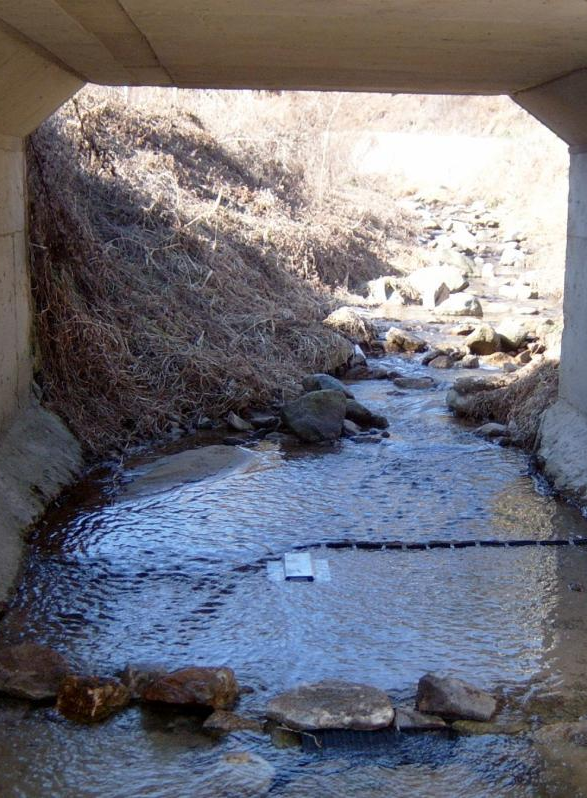
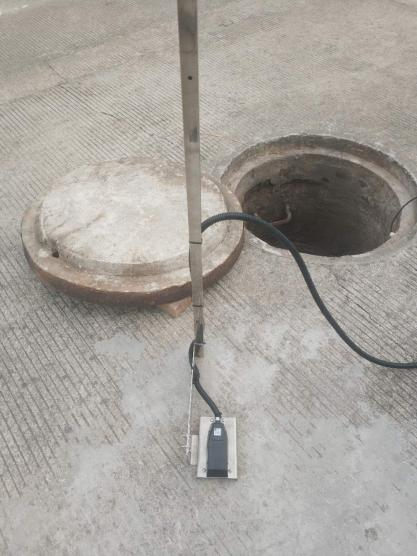
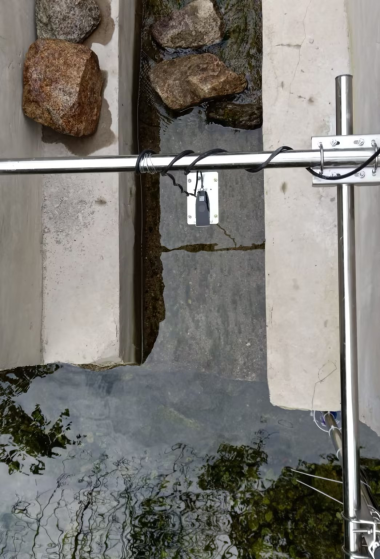
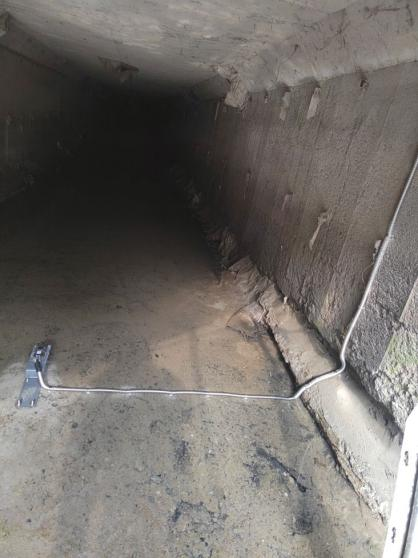
6. When Should You Choose the QSD6537 Sensor Independently?
The standalone QSD6537 is particularly useful when customers already have their own data acquisition equipment or need to integrate water measurement into an existing monitoring system.
Hydrological data collection
Wastewater discharge monitoring
Industrial water monitoring
Irrigation and drainage systems
Remote environmental monitoring stations
7. What Equipment Is Required for Independent Operation?
A typical standalone configuration includes:
Measures velocity, depth, temperature and conductivity
Provides power to the sensor
RS485 Modbus RTU or SDI-12
PLC / Data Logger / RTU / Industrial Computer
Data display, storage, analysis and remote transmission
Before purchasing the sensor independently, customers should prepare or confirm:
RS485 Modbus RTU or SDI-12 compatible device
Communication protocol & register configuration
Data acquisition or monitoring system
External flow calculation solution (if required)
8. Frequently Asked Questions
Q1: Can the QSD6537 work without a DOF6000 calculator?
Yes. The QSD6537 can operate independently and transmit its measurement data through RS485 Modbus RTU or SDI-12 to compatible external equipment.
Q2: Can the standalone QSD6537 calculate the flow rate by itself?
No. The standalone sensor measures velocity and water depth but does not independently calculate the complete volumetric flow rate. An external system must calculate the wetted cross-sectional area and process the velocity data to obtain flow rate.
Q3: Can I connect the QSD6537 directly to a PLC?
Yes. A PLC with a compatible RS485 Modbus RTU interface can communicate directly with the QSD6537, provided the power supply, wiring, communication settings, and register configuration are correct.
Q4: Can the QSD6537 connect to a data logger?
Yes. It supports RS485 Modbus RTU and SDI-12 communication, making it suitable for integration with compatible data loggers.
Q5: Does the standalone sensor include pressure compensation?
No. The atmospheric pressure compensation function is provided by the DOF6000 calculator. When using the QSD6537 independently with pressure-based depth measurement, an external compensation solution may be required.
Q6: Can I use the QSD6537 for remote monitoring?
Yes. The sensor can transmit data to an external RTU or data logger, which can then send the information to a remote monitoring platform using an appropriate wireless communication method.
Tell us your open‑channel & partially‑filled pipe application — we'll size the meter
Share your channel / pipe size, flow range, water quality and communication requirements. The Lanry team will recommend the appropriate DOF6000 flow‑meter configuration for your project.

With 5+ years of experience in industrial instrumentation, I provide practical solutions for flow measurement, installation, commissioning, and troubleshooting based on real‑world project experience. Feel free to contact my WhatsApp.
Post time: Nov-03-2026


